This guide provides a straightforward process for conducting a move-out bedroom inspection, ensuring you efficiently report any missing or damaged items. By following the outlined steps, you can easily document concerns and submit necessary photos, helping to protect your Residence deposit and avoid disputes. It’s an essential resource for anyone looking to streamline their move-out experience and ensure a smooth transition.
1. Login to the Housing Portal
2. Click “Bedroom Inspection“
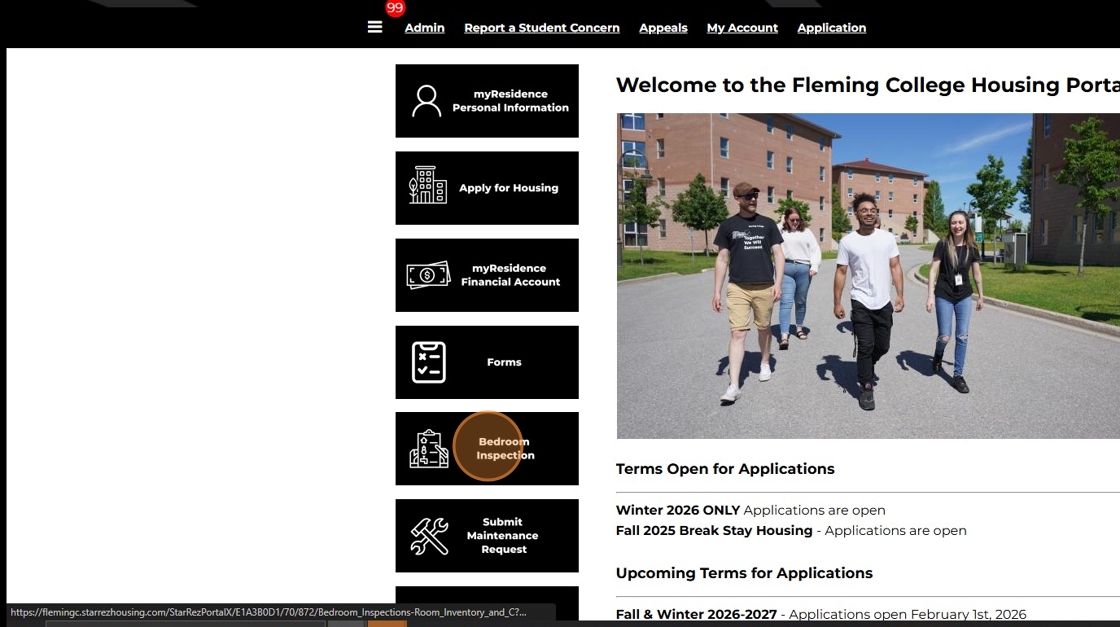
3. Click “Review“

4. Click “Report any Missing / Damaged Items” if you have any comments on the room condition. This is optional.

5. Write anything you wish to report about the condition of the room space. If you have nothing additional to report, go to the next step.

6. Click “Not Reviewed, click to mark reviewed”

7. All residents must submit a minimum of two (2) photos to complete their bedroom inspection. The photos must be from two (2) angles, one from the point of view from the bedroom door and the opposite side facing the bedroom door. If there are additional photos you wish to submit you can submit up to 6 photos
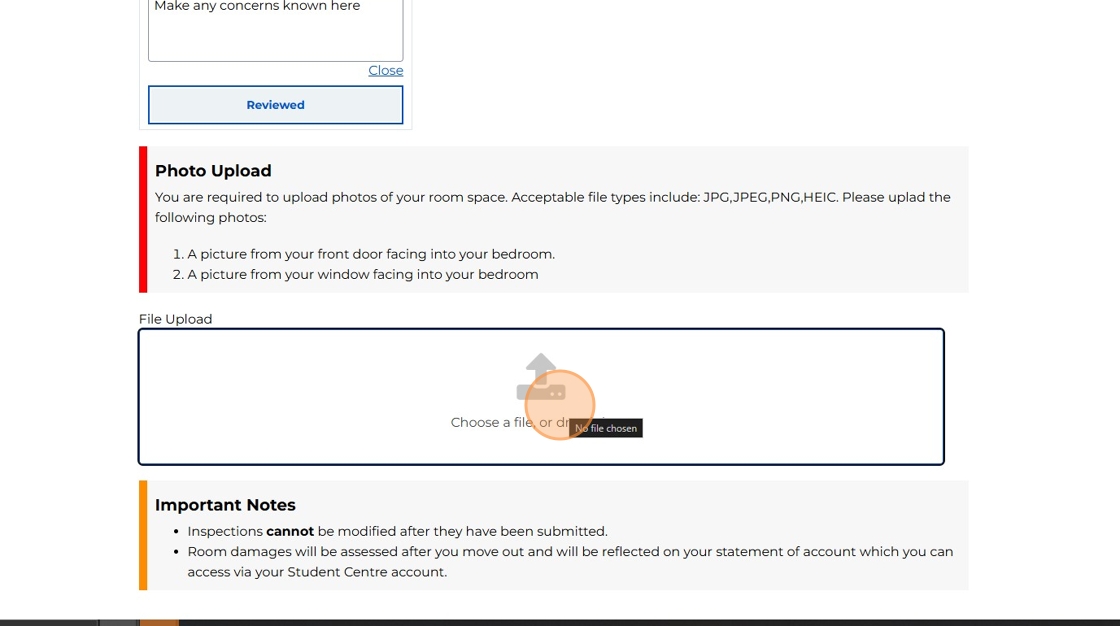
8. Once you have uploaded your photos, click “Submit” to complete your bedroom inspection

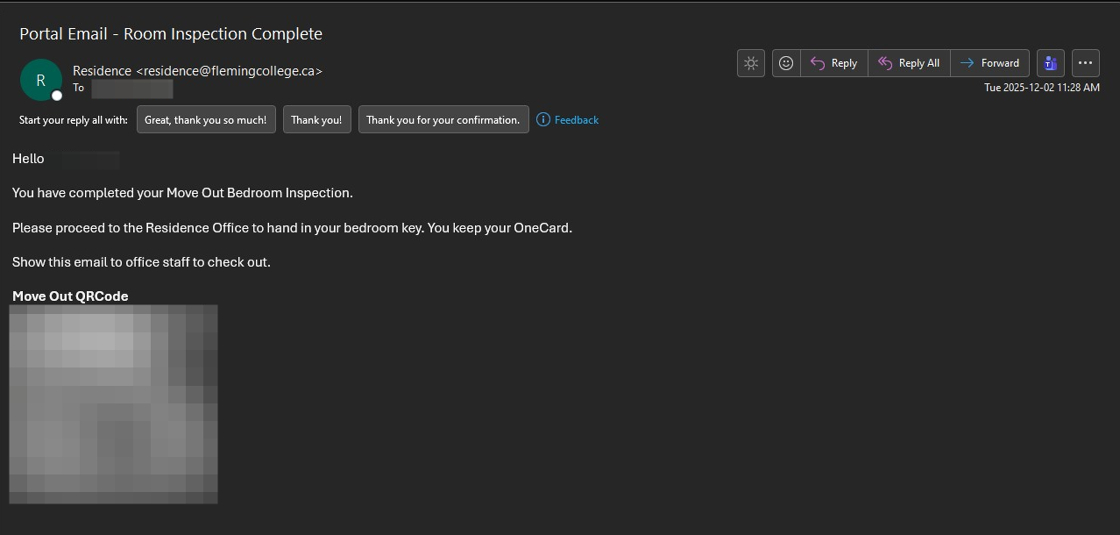
9. You will receive an email from the Portal to your @flemingcollege.ca email notifying you that you have completed your bedroom inspection and will be provided your move out QRcode. Show this to office to complete your check-out.